Free Broken Link Checker Tool & Dead Link Finder

Crawl any website online and find every broken link on it. This free broken link checker tool reports each dead link, the status code it returns and the exact page it sits on, so you can fix it rather than hunt for it. Nothing to install, no sign-up.

100% Free
Unlimited Use
No Sign-up
Internal & External
Export CSV

Broken Link Checker

Enter any URL below to crawl and check every link on the page. Internal links are followed to the depth you choose, external links are verified for their HTTP status.

Enter a page and the crawler follows its links from there, checking each destination and reporting anything that fails. It finds links that are broken now. It cannot find links that were never added, and it checks the pages it can reach, so anything nothing links to stays invisible.

Check Links on Any Website

Initialising crawl… 0%
⚠️

Crawl Failed

Unable to reach the URL. Please check the address is correct and publicly accessible, then try again.

🔗

Enter a URL above and click Check Links to find every broken link on the page.

https://example.com
··· Links Checked
··· OK (2xx)
··· Broken (4xx/5xx)
··· Redirects (3xx)
··· Timeouts
0 links
# Status URL Code Anchor Text Found On Response Actions
Ready

Find Every Broken Link in 4 Steps

1

Enter Your URL

Type or paste any page URL or domain root. The checker will crawl all links it finds on the page and follow internal links to the depth you set.

2

Configure the Crawl

Choose crawl depth (shallow to deep), scope (internal only or all links) and how many links to check. Large sites can generate hundreds of results.

3

Get Your Full Report

Every link is tested for HTTP status. Broken (4xx), OK (2xx), Redirects (3xx) and Timeouts are all detected and shown with the source page and anchor text.

4

Filter, Fix & Export

Filter by status, search by URL or anchor text, sort any column, then export the full broken-links report as a CSV to share with your team or developer.

What is a broken link?

A broken link is a link that points somewhere that no longer works. Click it and you get an error instead of a page, usually a 404. A broken link checker crawls a site, follows every link it finds and reports the ones that fail, along with the page each one sits on.

They appear on their own. A page you linked to gets deleted. A company rebrands and changes its URLs. A domain expires. Nothing on your site changed, yet the link is dead. This slow decay has a name, link rot, and it is why a site nobody has touched in a year still accumulates them.

Broken links are not a direct ranking factor, and Google has been clear that a 404 is a normal part of the web. What they do is waste a visitor's click and leak the authority you meant to pass on.

Written by Chirag Arora, digital marketing consultant with 17+ years of hands-on SEO experience across 500+ projects. He designed this tool and the other 22 free tools on this site. Verify on LinkedIn.

What does each status code actually mean?

CodeWhat it meansIs it broken?What to do
404Not found. The page is goneYesFix the URL, point it somewhere useful or remove the link
410Gone, deliberately and permanentlyYesSame as a 404. The owner meant it, so do not wait for it to come back
500 to 599Their server failedUsuallyRe-check in a day. If it persists, treat it as dead
301 or 302Moved to a new URLNoWorks, but update the link to point straight at the destination
403Access refusedOften notMany sites block crawlers. Open it in a browser before you delete anything
200HealthyNoNothing. Unless it is a soft 404 that returns 200 on an error page

The 403 row is the one that catches people out. Plenty of sites, including LinkedIn and many news publishers, block automated requests while working perfectly for humans. Every broken link checker reports those as errors. Open a few in a browser before you go on a deleting spree. Google's own documentation on HTTP errors covers how it treats each code.

Fix Broken Links Like a Pro SEO

🚨

Fix 404s First

Every 404 error is a dead end for both users and Google's crawler. It wastes crawl budget and kills any link equity from external sites pointing to that URL. Fix with a 301 redirect to the closest relevant live page.

🔄

Redirect Chains Hurt Speed

A chain of 3+ redirects adds hundreds of milliseconds to load time. Always update internal links to point directly to the final destination URL, never let redirects stack. Check and fix these regularly after site migrations.

📅

Run Monthly Audits

External links break silently, partner sites redesign, pages get deleted, domains expire. Schedule a broken link check every 30 days. Set up Google Search Console email alerts for crawl errors so you catch 404s before Google does.

How Are Links Checked?

The checker simulates a real browser crawl, it discovers links from your page's HTML, then sends an HTTP HEAD request to each link to read its response code without downloading the full page. 2xx codes are OK, 3xx codes are redirects (which may chain), 4xx codes are client errors (404 = not found being the most common), and 5xx codes are server errors. Timeouts indicate the server is unresponsive or blocking crawlers. Results are directional, some servers block automated checks and may return a false positive. Always verify critical broken links manually.

A Free Dead Link Finder Built From Real Campaigns

This website broken link checker crawls any site online and finds every dead link on it. Use it as a broken link checker online with nothing to install. For each one you get the status code, the destination that failed and the exact page the link sits on. That last part is what turns a list into a job you can finish. It runs in the browser with no account and nothing to install, and it works on any website whether that is WordPress, Shopify or hand-built HTML.

Here is what I have learned running this across 500+ projects. Broken links rarely appear because someone made a mistake. They appear because the web moved. A source you cited got deleted, a company rebranded or a tool you recommended shut down. Nothing on your site changed, and yet a page you have not touched in two years now sends people into a wall. The other pattern is more painful. Sites obsess over their own 404s while ignoring that they are still linking out to a domain that expired and now serves gambling ads. The checker finds both, and the second one matters more.

Fix them in order of traffic, not in the order they appear in the list. A dead link on your busiest page costs more than twenty on pages nobody visits. Once the list is clear, audit what you are linking out to with the free outbound link checker, check who is linking to you with the free backlink checker, and browse the rest of the free SEO tools.

Two habits get more out of the same scan. When an external link dies, you do not always have to delete it, the Wayback Machine often holds an archived copy you can point to instead, which keeps the reference intact. And broken links are not only your problem to fix, they are an opportunity, the tactic known as broken link building means finding dead links on other relevant sites, then offering your own working page as the replacement, which turns a routine audit into a way to earn backlinks. Fix your own dead ends first because they waste crawl budget and leak PageRank, then look outward for the ones you can turn to your advantage.

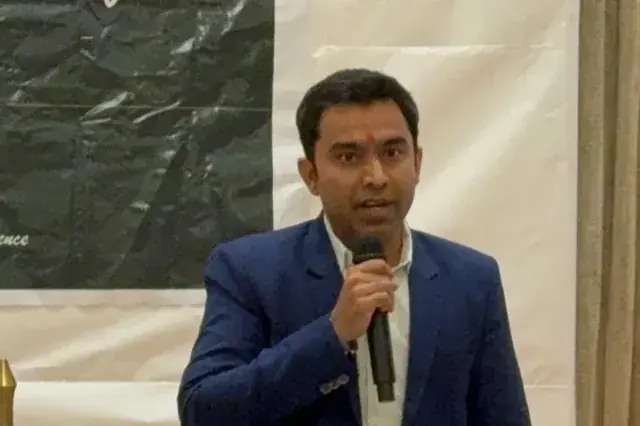
Chirag Arora, digital marketing expert and creator of this free broken link checker
Built by Chirag Arora
Digital marketing expert, 17+ years of hands-on SEO experience across 500+ projects. Connect on LinkedIn

Chirag Arora presenting technical SEO and site maintenance at an industry event

All Tools, Zero Cost

FREE TOOL

Keyword Research Tool

Discover thousands of keyword ideas with volume, difficulty, CPC and intent data, powered by Google Autocomplete.

Launch Tool
FREE TOOL

Website Speed Checker

Measure Core Web Vitals, LCP, INP, CLS, with prioritised recommendations to fix every issue.

Launch Tool
FREE TOOL

Robots.txt Generator

Generate a perfectly formatted robots.txt with crawler rules, bot blocking and sitemap references.

Launch Tool

Broken Link Checker FAQ

Common questions about this free tool, answered clearly.

Why do broken links hurt SEO?

Broken links waste crawl budget, frustrate visitors and leak the value that should flow through your internal links. A page full of 404s also signals a neglected site to search engines.

What is the difference between a 404 and a redirect?

A 404 means the page is gone. A redirect sends the user and search engine to a new URL. Fix a broken link by pointing it to the correct live page or by adding a redirect from the old URL.

How often should I check for broken links?

Check after any big site change or migration and once a quarter otherwise. Links break quietly when other sites move or delete pages you linked to.

Is there a broken link checker for WordPress?

Yes, and it is probably the better option if you run WordPress. Plugins like Broken Link Checker scan your posts continuously and tell you inside the dashboard, which beats remembering to run a tool yourself. The tradeoff is that scanning plugins add load to your server, which is why some hosts restrict them. Use this checker instead if you do not want a plugin, if your host blocks them or if you want to check a site you do not control, such as a competitor or a client before you take them on.

Is this a free alternative to the Ahrefs broken link checker?

For finding dead links on a site, yes, with no account. Ahrefs also shows you broken links pointing at other people's sites from their index, which is a link building tactic rather than a maintenance job. This tool does not do that. If you want to find dead pages on a competitor's site so you can offer a replacement, you need their index. If you want your own site clean, this does the job for free.

Why does it report links that work fine in my browser?

Almost always a 403. Plenty of sites block automated requests while working perfectly for a human, LinkedIn and many news publishers among them. Every broken link checker hits this, not just this one. Open a few of the 403s in a browser before deleting anything. The 404s and 410s are the ones to trust.

Why Hire Me to Fix Your Site Health

This free tool finds the broken links. If you would rather have someone fix the reason they keep appearing, here are a few honest reasons businesses hire me as their SEO and digital marketing consultant in India.

Fixed by Traffic, Not by List Order

A list of 300 broken links is paralysing and mostly noise. I sort them by the traffic the page actually gets, so you fix the twelve that cost you something and ignore the rest.

Hands-On, Not Just Oversight

I started as a technical SEO trainee, not in a management seat, and I still do the crawling and fixing myself. You get direct expertise, not a spreadsheet handed to an intern.

I Built This Tool Myself

The broken link checker you just used, I designed it, along with 22 other free SEO tools on this site. It is a direct look at how I audit a site before you ever become a client.

The Links You Are Sending People To

Everyone checks their own 404s. Almost nobody checks whether the sites they recommend still exist. I have found live pages linking out to expired domains now serving casino ads.

Direct Line to Me

Messages get a reply within 24 hours on business days, and WhatsApp is the fastest way to reach me for anything urgent. You are not waiting in a support queue.

It Stays Fixed

Broken links come back, because the web keeps moving. I set up the checks so you find them on a schedule instead of discovering them in a client email two years later.

Results From A Healthy Site

★★★★★
"Chirag found our resources page was linking to eleven dead tools and one domain that had turned into a casino site. It had been live like that for over a year and nobody had noticed."

Founder

SaaS Startup, India
★★★★★
"We had 400 broken links and no idea where to start. He sorted them by traffic and we fixed the twenty that mattered in an afternoon. His 17+ years of experience really shows."

Marketing Head

EdTech Company, India
★★★★★
"As a small business, we started with Chirag's free link checker, then hired him. Ranked Page 1 for our main terms within 3 months. Practical, no fluff, real value."

Owner

D2C E-commerce Brand

Chirag Arora In The News

Featured on leading media platforms. Watch interviews, expert commentary and digital marketing insights covered by top news channels and podcasts.

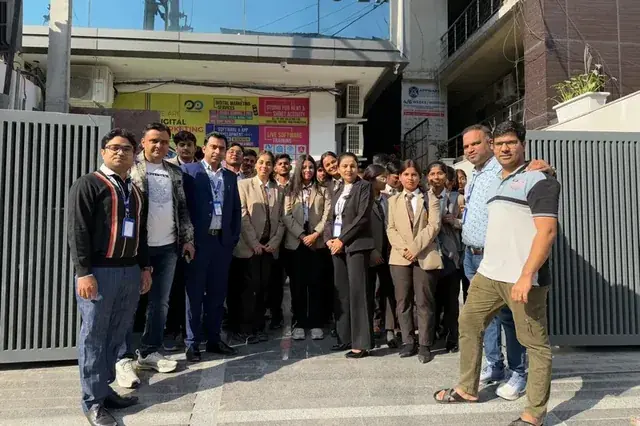
Speaking, Training & Building Across India

Want a Full Link Audit Done for You?

I'll audit every internal and external link, redirect chain and crawl error across your entire site, with a prioritised fix plan.