Set your length, pick the character types and copy the result. A fresh password is generated on every change, entirely inside your browser.
Drag the slider anywhere from 8 to 64 characters. It starts at 16, which comfortably clears the modern 15-character baseline, and going longer only makes it stronger.
Uppercase, lowercase, numbers and symbols are all on by default for maximum entropy. If the password will ever be typed by hand, tick the option to exclude look-alike characters like O and 0.
A fresh password appears on every change, with a strength meter showing its entropy in bits. Copy it with one click and save it in a password manager rather than a notes file.
A password generator creates random passwords that no human would ever come up with, which is exactly the point. People choose predictable passwords, names, dates, keyboard walks, and attackers know every pattern. A generator draws each character from a secure random source instead, so there is no pattern to exploit.
This one runs on the Web Crypto API, the cryptographically secure random source built into every modern browser, with rejection sampling so no character is ever slightly more likely than another. It also guarantees that every character type you tick actually appears in the result, then shuffles the whole password so the guaranteed characters do not sit in predictable positions.
The strength meter reports entropy in bits, calculated from your length and character choices. Entropy is the honest way to measure a password, because it counts the guesses an attacker needs rather than judging how complicated the password looks. Sixteen characters across all four character types lands above 100 bits, far beyond what any realistic attack can search.
It all runs in your browser. The password is never uploaded, stored or logged, and the page keeps working offline once loaded. Why length wins. Attacks that guess passwords, brute-force and rainbow-table lookups, scale with length far faster than with symbols, so each extra character multiplies the work an attacker faces. That is the whole reason the modern advice is length first. For the accounts that matter most a password is only step one, pair it with multi-factor authentication, and where a site supports passkeys, the FIDO2 standard behind them removes the guessable password entirely. Generate, copy and put it straight into a password manager.
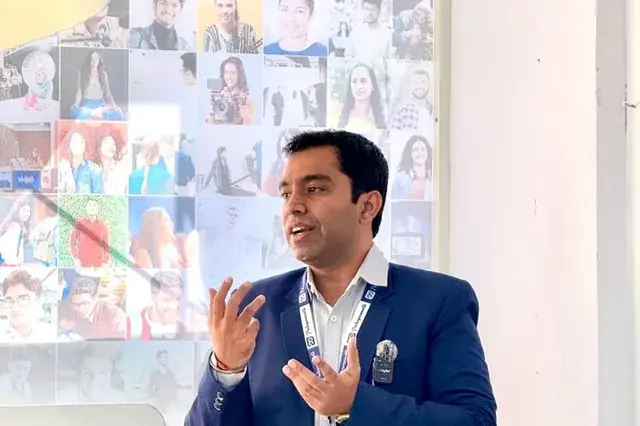
Written by Chirag Arora, digital marketing consultant with 17+ years of hands-on SEO experience across 500+ projects. He designed this tool and the other free tools on this site. Verify on LinkedIn.
| Password | Entropy (mixed characters) | Verdict |
|---|---|---|
| 8 characters | ~51 bits | Crackable with modern hardware. Retired as a standard |
| 12 characters | ~77 bits | Reasonable for everyday accounts with 2FA on top |
| 15 characters | ~96 bits | The current NIST baseline when a password stands alone |
| 16 characters | ~103 bits | This tool's default. Comfortably very strong |
| 20 characters | ~129 bits | Ideal for email, banking and anything holding payment details |
| 64 characters | ~412 bits | For password-manager-stored secrets where you never type it |
The bits column is the whole argument for length. Every added character multiplies the search space by the size of your character set, so strength grows exponentially while your effort grows by one keystroke. That is why the guidance moved from symbol mandates to length, an 8 character password using every symbol on the keyboard still loses to a plain 16 character one. The numbers above assume all four character types, and they drop only slightly if you exclude the ambiguous look-alikes.
Reuse is how most accounts fall. When any service leaks, attackers replay those credentials on every other site within hours, an attack called credential stuffing. A unique random password per account turns every breach into a contained incident instead of a master key. This is the single highest-value habit on this page.
Unique 16 character passwords are impossible to memorise across dozens of accounts, and nobody expects you to. A password manager stores them all behind one strong master passphrase and fills them in for you. The current security guidance actively encourages managers, and they pair perfectly with a generator like this one.
Even a perfect password can be phished. Two-factor authentication stops a stolen password from working alone, and an authenticator app beats SMS codes, which can be intercepted through SIM swaps. Start with your email account, because password resets for everything else flow through it, making it the master key to your life.
This free password generator creates a strong random password the moment the page loads, and a fresh one on every click. Set any length from 8 to 64 characters, toggle uppercase, lowercase, numbers and symbols, optionally exclude look-alike characters for hand-typing, and copy the result. There is no sign-up, no credit card and no limit on how many passwords you can generate.
Security is part of running anything online. Over 17+ years of managing websites, ad accounts, analytics and hosting across 500+ projects, I have seen what one reused password costs a business, a hacked ad account spending someone else's budget overnight, a defaced site, a hijacked email doing password resets on everything downstream. This generator exists because the fix is boring and cheap. Long random passwords, one per account, stored in a manager, with two-factor on top.
It is also built the way a security tool should be. Generation happens in your browser through the Web Crypto API, nothing touches a server, and the page works offline once loaded. Generate what you need here, then protect the rest of your online presence, audit your site with the free SEO analyzer, check your listing with the free Google Business Profile audit, or explore all the free SEO tools on this site.

Preview how your title tag and meta description appear in Google search results, with pixel-width counters and mobile view.
Launch ToolFull on-page SEO audit, title tags, meta descriptions, headings, keyword density and 50+ factors checked instantly.
Launch ToolBuild UTM-tagged campaign URLs with one-click presets for Google Ads, Facebook, Email and LinkedIn.
Launch Tool15 to 16 characters is the modern baseline. NIST, the US body that writes the password standards, now puts length ahead of complexity, recommending around 15 characters when a password is the only protection on an account, and systems should accept up to at least 64. Each added character multiplies the work an attacker has to do, which is why a long simple password beats a short complicated one. This generator defaults to 16.
Yes. Passwords are generated inside your browser using the Web Crypto API, the same cryptographically secure random source password managers rely on, not a predictable function. Nothing is sent to a server, nothing is stored or logged, and the page keeps working offline once loaded. The honest caveat is that no online page can prove itself, so for your most critical accounts a dedicated password manager remains the gold standard.
They help, but length matters more. NIST dropped mandatory complexity rules because forcing symbols pushed people toward predictable patterns like Password1!. A 16 character lowercase password is stronger than an 8 character one using every symbol on the keyboard. The best of both is what this tool does by default, a long password that also mixes all four character types, which raises the entropy further without you having to remember anything.
Only when there is a reason, like a breach at the service or any sign of compromise. Forced routine changes are no longer recommended, because they train people into weak patterns like incrementing a number at the end. The habits that actually protect you are a unique password for every account, so one leak cannot unlock the rest, and two-factor authentication on anything important, starting with your email.
Entropy measures how many guesses an attacker would need, in bits. Each extra bit doubles the number of possibilities, so 60 bits means around a billion billion combinations. It is calculated from the password length and the size of the character set you selected. As a rough guide, under 45 bits is weak, 60 to 80 is strong for everyday accounts, and 80 plus is very strong, which a 16 character mixed password comfortably clears.
Because some characters are easy to confuse when read or typed by hand, the capital I, lowercase l and the digit 1, or the letter O and zero. If a password will ever be read off a screen, printed or typed into a TV or router, excluding those avoids frustrating mistakes. It slightly reduces the character set, so the entropy dips a little, but for hand-typed passwords the trade is usually worth it.
This free tool secures your accounts. If you would rather have your content written or rewritten to read clearly and rank, here are a few honest reasons businesses hire me as their SEO and content consultant in India.
The right length and the right keywords are not opposites. I write content that covers a topic fully and targets the right terms, so it is easy for people to read and easy for Google and AI to understand.
I started as a technical SEO trainee, not in a management seat, and I still write and edit the content myself. You get direct expertise, not a brief handed off to a junior writer.
The password generator you just used, I built it, along with the other free SEO tools on this site. It is a direct look at how I think about clear content before you ever become a client.
AI drafts read stiff and generic. I edit content so it reads naturally at the right level, the kind of clear, human writing that keeps readers engaged and gets quoted in AI answers.
Messages get a reply within 24 hours on business days, and WhatsApp is the fastest way to reach me for anything urgent. You are not waiting in a support queue.
Content length is one piece. Keyword research, on-page SEO and technical health all sit with one person who understands how they connect, so clear writing also becomes ranking writing.
"Chirag rewrote our blog to read at a grade 8 level without dumbing it down. Time on page went up, bounce rate dropped and rankings followed. He makes complex topics simple."
"Our content was dense and technical and nobody finished reading it. Chirag simplified everything and our engagement metrics transformed. His 17+ years of experience really shows."
"We used Chirag's free tools, then had him edit our whole site. Clear, engaging copy that actually converts. Practical, no fluff, real value."
Featured on leading media platforms. Watch interviews, expert commentary and digital marketing insights covered by top news channels and podcasts.
CMD Club Meet 2025 at Club Capri, Gurgaon : A Brief of ClipsTrust
YouTube · Business Meet
How to Build Customer 🔥Trust 🔥 - Biggest Challenges Today
Eventra vlogs
Digital Marketing Beginner to Advanced Journey | Podcast b/w Chirag Arora & Pankaj
YouTube · Podcast Episode