Free Word Counter & Character Count Tool

Paste or type any text and get an instant count of words, characters, sentences, paragraphs and reading time, with a live keyword density table and character limits for titles, meta descriptions and social posts. Everything runs in your browser. No sign-up. No limits.

100% Free
Unlimited Use
No Sign-up
Real-Time Count
Private & Offline

Word Counter

Type or paste your text below. Every count updates live as you write. Nothing is uploaded, so your text stays on your device.

Word count is not a Google ranking factor. Google has said so directly. Longer pages often rank better because they cover a topic more fully and earn more links, not because of the number itself. Write to cover the topic, then check the length here.

Your Text

Live Count
✍️

Start typing or paste your text above. Your word count, character count, reading time and keyword density will appear here instantly.

Count Any Text in 3 Steps

1

Type or Paste

Write directly in the box or paste any piece of text, a blog post, product description, essay, email or social post. The counter handles any length from a single line to a full article.

2

Read the Live Counts

Words, characters, sentences and paragraphs update on every keystroke, along with reading time, speaking time, average sentence length and characters with and without spaces.

3

Check Limits and Keywords

The character-limit panel flags when a title, meta description or social post runs over, and the keyword density table shows which words you use most, so you can tighten the text before you publish.

What is a word counter?

A word counter is a tool that counts the words, characters, sentences and paragraphs in a piece of text. You paste a draft or type directly into the box, and the numbers update as you write. It answers a simple question that comes up constantly. How long is this, and does it fit?

The reason it matters is that almost every kind of writing has a length it needs to hit. An essay has a word limit. A meta description gets cut off after about 160 characters. A post on X stops at 280. A blog post aimed at a competitive keyword usually needs to be thorough enough to match the pages already ranking. Knowing where you stand, without counting by hand, is the whole job.

This tool goes a little further than a plain counter. Alongside the four headline numbers it shows characters with and without spaces, reading time, speaking time, a Flesch reading-ease score, unique word count, average sentence length and a live keyword density table, so you can see not just how long your text is but how well it reads and how it is built.

It all runs in your browser. Your text is never uploaded, stored or logged, so it is safe for confidential drafts, and it keeps working even if your connection drops after the page loads. A few quick conversions people look for. Page count depends on formatting, but a single-spaced page in 12-point Times New Roman holds about 500 words and a double-spaced page about 250, so a 1,000-word piece runs to roughly two single-spaced pages or four double-spaced. For spoken content, a comfortable pace sits near 130 words a minute, so a five-minute talk needs about 650 words of script. And the reading-ease score reads plainest between 60 and 70, the band most adults follow with ease, while anything below 30 is dense, specialist prose.

Written by Chirag Arora, digital marketing consultant with 17+ years of hands-on SEO experience across 500+ projects. He designed this tool and the other free tools on this site. Verify on LinkedIn.

What word count should you actually aim for?

Content typeLength targetWhy
SEO blog post1,500 to 2,500 wordsEnough to cover a topic fully and rank for related long-tail queries
Pillar guide3,000 to 4,500 wordsBroad topics need depth, and long guides earn the most backlinks
Product or landing page300 to 800 wordsThe reader came to act, not to read. Say enough to convince, then stop
News post or update400 to 800 wordsSpeed and clarity matter more than depth for timely content
Meta descriptionUp to ~160 charactersGoogle truncates beyond this, so the key message must come first
Title tagUp to ~60 charactersLonger titles get cut off in the search result
Post on XUp to 280 charactersA hard platform limit, so every character counts

Treat every number here as a starting point, not a rule. The blog post row is the one people misuse most, chasing a word count as if the number itself ranks. It does not. The pages that win are the ones that answer the query completely, and completeness usually takes more words, which is why length and rankings look connected. Check what is already ranking for your keyword and match its depth, then stop. Google's own helpful content guidance asks whether the writing serves the reader, never whether it hits a length.

Use Word Count the Smart Way

🎯

Match the SERP, Not a Rule

Before you set a target, search your keyword and look at the pages ranking in the top five. Their length tells you what it takes to cover this topic well. Aim to match that depth, not a number you read in a blog post. A focused piece that fully answers the query beats a longer one padded to hit a quota.

✂️

Watch Your Character Limits

Titles, meta descriptions and social posts all have hard cut-off points. A title over about 60 characters gets cut off in the search result. A meta description gets truncated past roughly 160. A post on X stops dead at 280. Front-load the important words so nothing vital is lost if the platform trims the tail. The live limit panel here flags when you go over.

📝

Length Is a Symptom, Not a Goal

If your draft is far shorter than the top results, you have probably missed subtopics the reader expects. If it is far longer, you are likely padding. Use the count as a signal to check your coverage, then fix the content, not the number. Word count is the thermometer, never the cure.

A Free Word Counter Built From Real Content Work

This free word counter measures the length of your text the moment you type it. Paste a draft or write directly in the box and it returns a live count of words, characters, sentences and paragraphs, plus reading time, speaking time and a keyword density table. There is no sign-up, no credit card and no limit on how much text you can check, so it is a truly free word count tool you can keep open beside every draft.

A raw number is only useful if you know what to do with it. Over 17+ years writing and editing content across 500+ projects, I learned that word count is a planning tool, not a scorecard. So this counter does more than tally words. It shows you where a title runs past its limit, whether a meta description will get cut off, how long a page takes to read and which words you are leaning on most, so you can shape the text rather than just size it.

Length matters for the right reasons. Word count is not a Google ranking factor, and Google has said so plainly, but matching the depth of the pages already ranking and staying inside the character limits that titles, meta descriptions and social posts enforce, is basic craft. Check your draft here, then run the page through the free on-page SEO analyzer, find the terms to target with the free keyword research tool, or explore all the free SEO tools to round out your content workflow.

Chirag Arora, digital marketing expert and creator of this free word counter
Built by Chirag Arora
Digital marketing expert, 17+ years of hands-on SEO and content experience across 500+ projects. Connect on LinkedIn

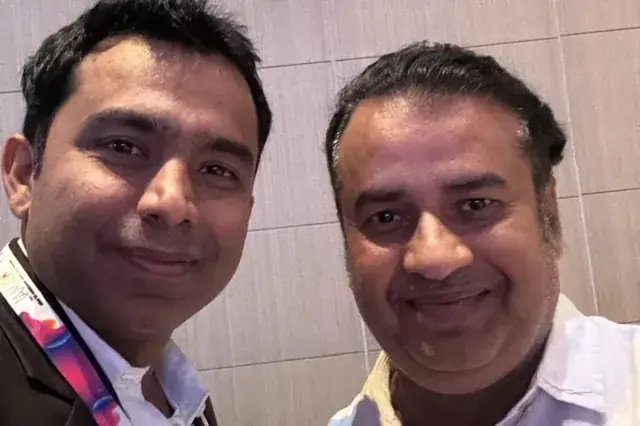
Chirag Arora presenting content and SEO strategy at an industry event
FREE TOOL

SERP Snippet Preview

Preview how your title tag and meta description appear in Google search results, with pixel-width counters and mobile view.

Launch Tool
FREE TOOL

SEO Analyzer

Full on-page SEO audit, title tags, meta descriptions, headings, keyword density and 50+ factors checked instantly.

Launch Tool
FREE TOOL

UTM Parameter Builder

Build UTM-tagged campaign URLs with one-click presets for Google Ads, Facebook, Email and LinkedIn.

Launch Tool

Frequently Asked Questions

Is word count a Google ranking factor?

No. Google has said directly that there is no magic word count and length is not a ranking signal on its own. Longer pages often rank better, but that is a side effect, not a cause. They tend to cover a topic more fully, earn more backlinks and answer more related questions. So write to cover the topic completely, then let the word count be whatever that takes.

How many words should a blog post be?

For most SEO blog posts, 1,500 to 2,500 words is a reliable range in 2026, and pillar guides can run longer. But the real target is set by the search results, not a rule. Look at the pages already ranking for your keyword and match their depth. A tight 1,200 word post beats a padded 3,000 word one every time, because padding is the thing readers and Google both punish.

What is the difference between word count and character count?

Word count is the number of words, which matters for essays, articles and content length targets. Character count is every letter, number, space and symbol, which matters where a hard limit applies, like a 160 character meta description or a 280 character post on X. This tool shows both at once, plus a version of the character count with spaces removed, because some limits count spaces and some do not.

How is reading time calculated?

Reading time is the word count divided by the research-backed average silent reading speed, which this tool sets at 238 words a minute, the figure from Brysbaert's 2019 meta-analysis of 190 reading studies. Speaking time uses a slower 130 words per minute, closer to how people talk. Both are estimates and your real audience may be faster or slower, but they are useful for sizing a script, a speech or a page that has to be read in a set time.

Does the word counter work offline and keep my text private?

Yes. The whole tool runs in your browser, so your text never leaves your device and is never sent to a server. That also means it keeps working if your connection drops after the page has loaded. Nothing is stored, logged or uploaded, which makes it safe for confidential drafts, client work or anything you would rather not paste into a cloud tool.

What counts as a word?

Anything separated by spaces counts as one word, which matches how word processors count. A standalone number like 2026 is one word, and a hyphenated term like well-written is one word too. This is the same method Microsoft Word and Google Docs use, so the number here will line up with the count your teacher, editor or client is checking against.

Why Hire Me to Sharpen Your Content

This free tool counts your text. If you would rather have your content written or rewritten to read clearly and rank, here are a few honest reasons businesses hire me as their SEO and content consultant in India.

Clear Writing That Still Ranks

The right length and the right keywords are not opposites. I write content that covers a topic fully and targets the right terms, so it is easy for people to read and easy for Google and AI to understand.

Hands-On, Not Just Oversight

I started as a technical SEO trainee, not in a management seat, and I still write and edit the content myself. You get direct expertise, not a brief handed off to a junior writer.

I Built This Checker Myself

The word counter you just used, I built it, along with the other free SEO tools on this site. It is a direct look at how I think about clear content before you ever become a client.

Human Content in an AI World

AI drafts read stiff and generic. I edit content so it reads naturally at the right level, the kind of clear, human writing that keeps readers engaged and gets quoted in AI answers.

Direct Line to Me

Messages get a reply within 24 hours on business days, and WhatsApp is the fastest way to reach me for anything urgent. You are not waiting in a support queue.

Content Plus the Full Picture

Content length is one piece. Keyword research, on-page SEO and technical health all sit with one person who understands how they connect, so clear writing also becomes ranking writing.

Results From Clearer Content

★★★★★
"Chirag rewrote our blog to read at a grade 8 level without dumbing it down. Time on page went up, bounce rate dropped and rankings followed. He makes complex topics simple."

Founder

SaaS Startup, India
★★★★★
"Our content was dense and technical and nobody finished reading it. Chirag simplified everything and our engagement metrics transformed. His 17+ years of experience really shows."

Marketing Head

EdTech Company, India
★★★★★
"We used Chirag's free tools, then had him edit our whole site. Clear, engaging copy that actually converts. Practical, no fluff, real value."

Owner

D2C E-commerce Brand

Chirag Arora In The News

Featured on leading media platforms. Watch interviews, expert commentary and digital marketing insights covered by top news channels and podcasts.

Speaking, Training & Building Across India

Want Content That Ranks and Converts?

I'll audit your existing content, improve on-page SEO and create a content strategy that drives sustainable organic traffic.