Remove Duplicate Lines

Paste any list and get a clean set of unique lines in a second. Keep the first or last copy, ignore case, trim spaces, drop blank lines and sort the result. Everything runs in your browser. No sign-up. No limits.

100% Free
Unlimited Use
No Sign-up
Live Result
Private & Offline

Clean Your List Instantly

Paste your lines on the left, pick how to dedupe, and the clean unique list appears on the right as you type.

Remove Duplicate Lines

Mode Sort
0 total 0 kept 0 removed

Dedupe in 3 Steps

1

Paste Your List

Drop your text in the left box, one item per line. Email lists, keyword lists, CSV rows or log lines all work, and there is no length limit.

2

Pick Your Options

Choose a mode, decide whether to ignore case, trim spaces or drop blank lines, and sort the result if you want. The clean list updates as you go.

3

Copy or Download

Copy the unique lines to your clipboard or download them as a .txt file. A live count shows how many lines you started with and how many were removed.

How Dedupe Works

A remove duplicate lines tool, also called a duplicate line remover, reads your text one line at a time and keeps a record of what it has already seen. When a line shows up again, it drops the repeat, so you end up with a clean list where every line appears once. Doing this by hand on a list of a few hundred rows is slow and easy to get wrong, and this handles it in a single pass no matter how long the list is.

How a line is matched is up to you. Turn on ignore case and Apple, apple and APPLE all count as the same entry. Keep trim spaces on and a stray space at the start or end stops creating a hidden duplicate, which is the single most common reason a list looks deduped but is not. There are five modes too. Keep first and keep last decide which copy survives, remove consecutive only touches repeats that sit next to each other, keep only one-off lines surfaces the entries that appear exactly once, and keep only the duplicated lines does the reverse when you want to see what repeated.

Everything runs in your browser, so a subscriber list, client data or anything private never leaves the page. Clean your list here, then fix the case of the results with the free duplicate line remover, count them with the free word counter, or explore all the free SEO tools to round out your workflow.

The Five Modes

Pick the mode that matches the cleanup you need.

Keep first or last

Leave one copy of each line and drop the rest. Choose whether the first or the last occurrence is the one that stays.

Consecutive only

Drop repeats that sit right next to each other but leave copies that appear later in the list untouched. Good for cleaning log runs.

Only unique or only dupes

Show just the lines that appear a single time, or flip it to see one copy of each line that repeated. Useful for auditing a list.

Cleaner Lists Every Time

Trim before you dedupe

Leave trim spaces on. A trailing space is invisible but makes two identical lines look different, so a list can look clean yet still hold duplicates.

Match case on purpose

For emails and keywords, turn on ignore case so casing differences collapse. For code or IDs where case matters, leave it off so real values stay separate.

Sort last

Dedupe first, then sort A to Z to spot near-duplicates that survived, like a stray plural or a typo sitting next to the correct entry.

Built From Real Client Work

This free duplicate line remover cleans any list the moment you paste it. It keeps your unique lines, drops the repeats, and lets you ignore case, trim spaces, remove blank lines and sort the result A to Z. There is no sign-up, no upload and no limit on how many lines you can clean at once.

Messy lists are a daily reality. Over 17+ years across 500+ projects I have merged three exports of a subscriber list and needed the duplicates gone, deduped a keyword list before mapping it to pages and stripped repeated rows out of a client CSV before an import. Doing that by hand wastes time and misses copies, so this tool does it in one pass and tells you exactly how many lines it removed.

It runs entirely in your browser, so a private subscriber list or client data never leaves the page. Dedupe your list here, then tidy the case with the free duplicate line remover, or explore all the free SEO tools to round out your workflow.


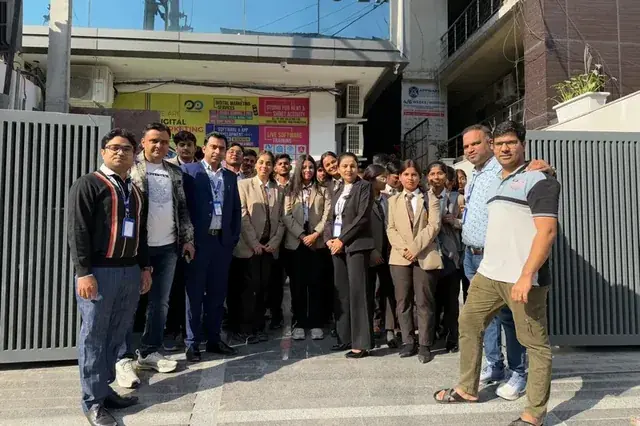
Chirag Arora, digital marketing expert and creator of this free duplicate line remover
Chirag Arora
Digital marketing expert · 17+ years · Connect on LinkedIn
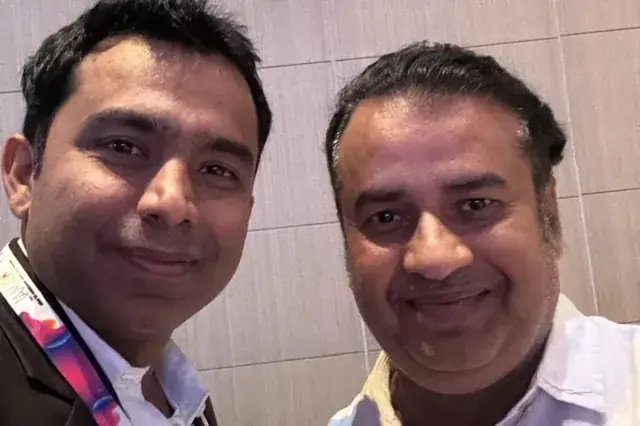
Chirag Arora presenting content and SEO strategy at an industry event

Frequently Asked Questions

What is a remove duplicate lines tool?

It is a tool that scans your text line by line and deletes the repeats, so you are left with a clean list where each line appears once. People also call it a duplicate line remover or a dedupe tool, and it is handy for email lists, keyword lists, log files and any list that has grown messy.

Is my text private and safe to paste here?

Yes. The whole thing runs in your browser and nothing is uploaded to a server. That makes it safe for private lists, client data or anything confidential, and it keeps working even with no internet once the page has loaded.

What is the difference between the modes?

Keep first leaves the first copy of each line and drops the rest. Keep last does the opposite. Remove consecutive only drops repeats that sit right next to each other. Keep only one-off lines shows lines that appear a single time, and keep only the duplicated lines shows one copy of each line that repeated.

Can it ignore case and extra spaces?

Yes. Turn on ignore case so Apple and apple count as the same line, and keep trim spaces on so a stray space at the start or end does not create a hidden duplicate. You can also remove blank lines to tidy the list further.

Can I sort the cleaned list?

Yes. Leave it in the original order, or sort the unique lines A to Z or Z to A with one click. Sorting happens after the duplicates are removed, so the count stays correct.

What can I use it for?

Common jobs are cleaning email or subscriber lists, deduping a keyword list before you build content, tidying CSV columns, trimming log files and cutting repeated entries out of a draft. Anywhere a list has picked up copies, this strips them out in one pass.

Why Hire Me to Sharpen Your Content

This free tool formats your text. If you would rather have your content written or rewritten to read clearly and rank, here are a few honest reasons businesses hire me as their SEO and content consultant in India.

Clear Writing That Still Ranks

The right length and the right keywords are not opposites. I write content that covers a topic fully and targets the right terms, so it is easy for people to read and easy for Google and AI to understand.

Hands-On, Not Just Oversight

I started as a technical SEO trainee, not in a management seat, and I still write and edit the content myself. You get direct expertise, not a brief handed off to a junior writer.

I Built This Checker Myself

The duplicate line remover you just used, I built it, along with the other free SEO tools on this site. It is a direct look at how I think about clear content before you ever become a client.

Human Content in an AI World

AI drafts read stiff and generic. I edit content so it reads naturally at the right level, the kind of clear, human writing that keeps readers engaged and gets quoted in AI answers.

Direct Line to Me

Messages get a reply within 24 hours on business days, and WhatsApp is the fastest way to reach me for anything urgent. You are not waiting in a support queue.

Content Plus the Full Picture

Content length is one piece. Keyword research, on-page SEO and technical health all sit with one person who understands how they connect, so clear writing also becomes ranking writing.

Results From Clearer Content

★★★★★
"Chirag rewrote our blog to read at a grade 8 level without dumbing it down. Time on page went up, bounce rate dropped and rankings followed. He makes complex topics simple."

Founder

SaaS Startup, India
★★★★★
"Our content was dense and technical and nobody finished reading it. Chirag simplified everything and our engagement metrics transformed. His 17+ years of experience really shows."

Marketing Head

EdTech Company, India
★★★★★
"We used Chirag's free tools, then had him edit our whole site. Clear, engaging copy that actually converts. Practical, no fluff, real value."

Owner

D2C E-commerce Brand

Chirag Arora In The News

Featured on leading media platforms. Watch interviews, expert commentary and digital marketing insights covered by top news channels and podcasts.

Speaking, Training & Building Across India

Want Content That Ranks and Converts?

I'll audit your existing content, improve on-page SEO and create a content strategy that drives sustainable organic traffic.